
Render Revision Logs and Handoffs
A footwear concept render becomes easier to review when each change has a visible reason, a named decision, and a recoverable record.
The working question is narrower than “Does this render look better?” Ask instead: What changed, what does the change make visible, who needs to decide next, and what remains unresolved?
A practical render revision checklist keeps that question attached to the image. It helps teams compare visual directions without treating concept approval as approval of fit, comfort, durability, manufacturability, physical performance, or the final product.
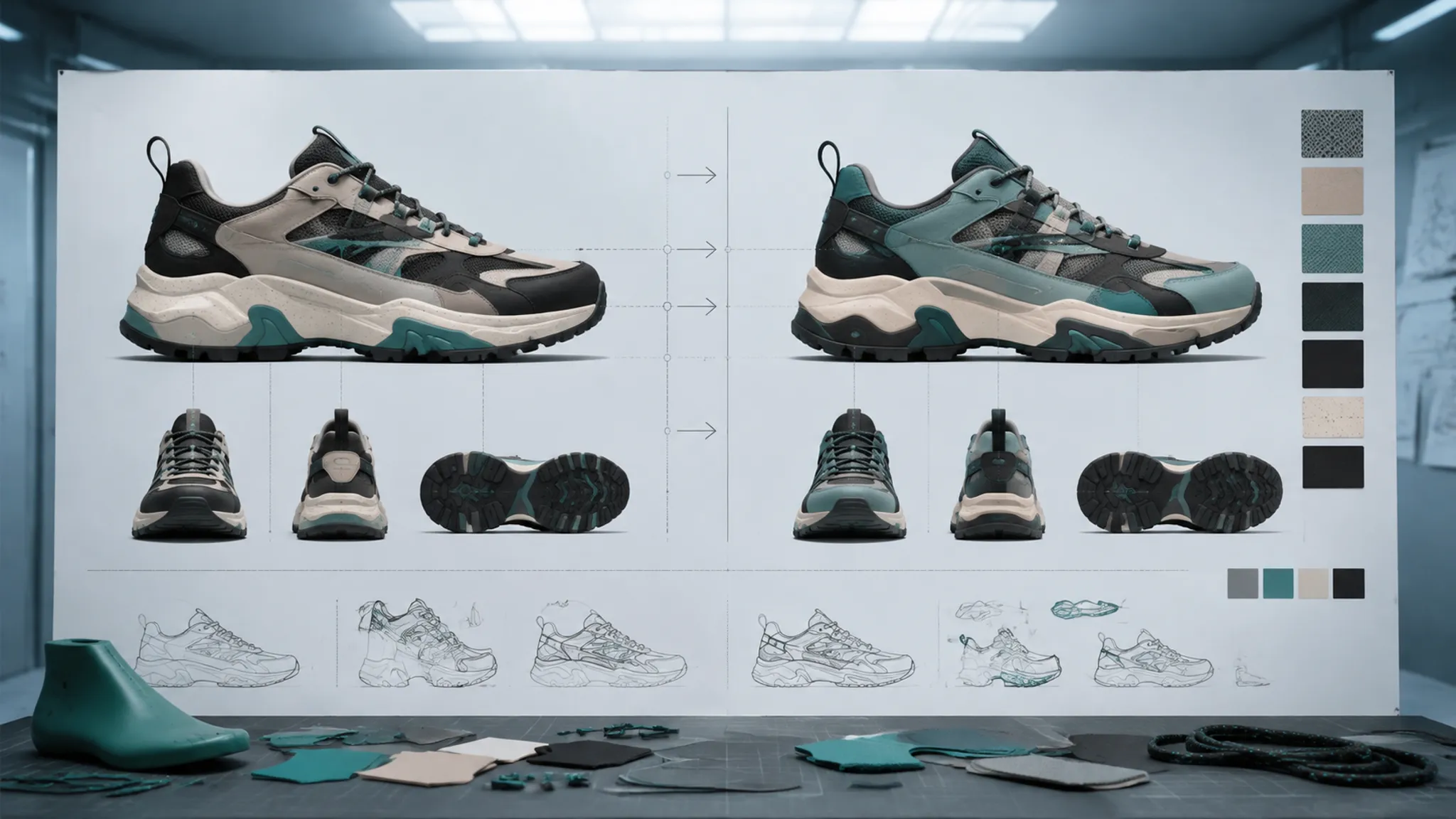
Start With the Visible Decision
A revision log should identify the decision before it describes the file.
A collar-line change asks something different from an outsole-color change. A new camera angle may expose the heel transition while obscuring the toe shape. A material adjustment can improve surface separation in the image without establishing how that material would behave in a sample.
Use the visible decision to choose the review path:
- Silhouette direction: Does the revised outline read differently from the previous version?
- Upper zoning: Are panels, overlays, openings, and transitions easier to distinguish?
- Material appearance: Does the surface response support the intended material mood?
- Color relationship: Do the main, secondary, and accent colors separate clearly?
- View coverage: Are the relevant sides, angles, and detail views available?
- Variant logic: Can reviewers understand what changes across the collection?
- Handoff status: Is the file waiting for another visual decision, design review, engineering input, sampling, or testing?
This framing keeps a comment such as “make it more technical” from becoming an untraceable series of edits. Translate the phrase into something visible: sharpen the heel geometry, reduce the contrast between overlay and base, expose the medial side, or separate two colorway variants.
What a Render Revision Log Needs
File history confirms that earlier states exist. It does not necessarily explain why the team moved from one state to another.
A useful render change record connects the image to its review context. Keep the fields concise enough for repeated use, but specific enough to recover the decision later.
Revision identity
Record the revision name or number, date, related concept or colorway, visual owner, superseded revision, view or camera identifier, and output condition.
Output conditions might include a comparison view, material study, campaign mockup, or non-final turntable. The view identifier matters because two renders may show the same shoe from different cameras. A change visible in a three-quarter view may remain hidden in a strict side view, while the camera shift makes the underlying design change appear larger than it is.
Visible change
Describe the change in observable terms. “Updated upper” is too broad. “Raised the lateral overlay edge and reduced the exposed base panel” gives the reviewer something to inspect.
A strong entry answers three questions:
- Where is the change?
- What visible property changed?
- Why is the team reviewing it now?
Revised the lateral upper zoning to create a clearer break between the base layer and the overlay. Review whether the new boundary carries the intended visual direction across the side and three-quarter views.
The wording records an interpretation without claiming a physical result. The render shows a different boundary; construction, assembly, and wear remain separate questions.
Review comment and decision status
Separate the comment from the decision. A reviewer may write, “The heel feels too heavy.” The record should translate that reaction into a visible issue and a current status:
- Comment: Heel counter dominates the side-view silhouette.
- Requested direction: Reduce visual mass above the midsole line.
- Status: Revise and return for comparison.
- Owner: Assigned visual owner.
- Next review: Side view and rear three-quarter view.
Useful decision statuses include open, revise, hold, accepted for this concept stage, superseded, needs cross-functional review, and waiting for a sample or test.
Accepted for this concept stage is deliberately narrower than final approval. It records that the visible direction can move forward in the current workflow while later questions remain active.
Compare Revisions by Decision-Relevant Deltas
Two images should not be compared as isolated pieces of taste.
Place the old and new states in the same review context whenever possible: same view, crop, lighting intent, background treatment, and variant label. If the context changes, record that change as part of the comparison.
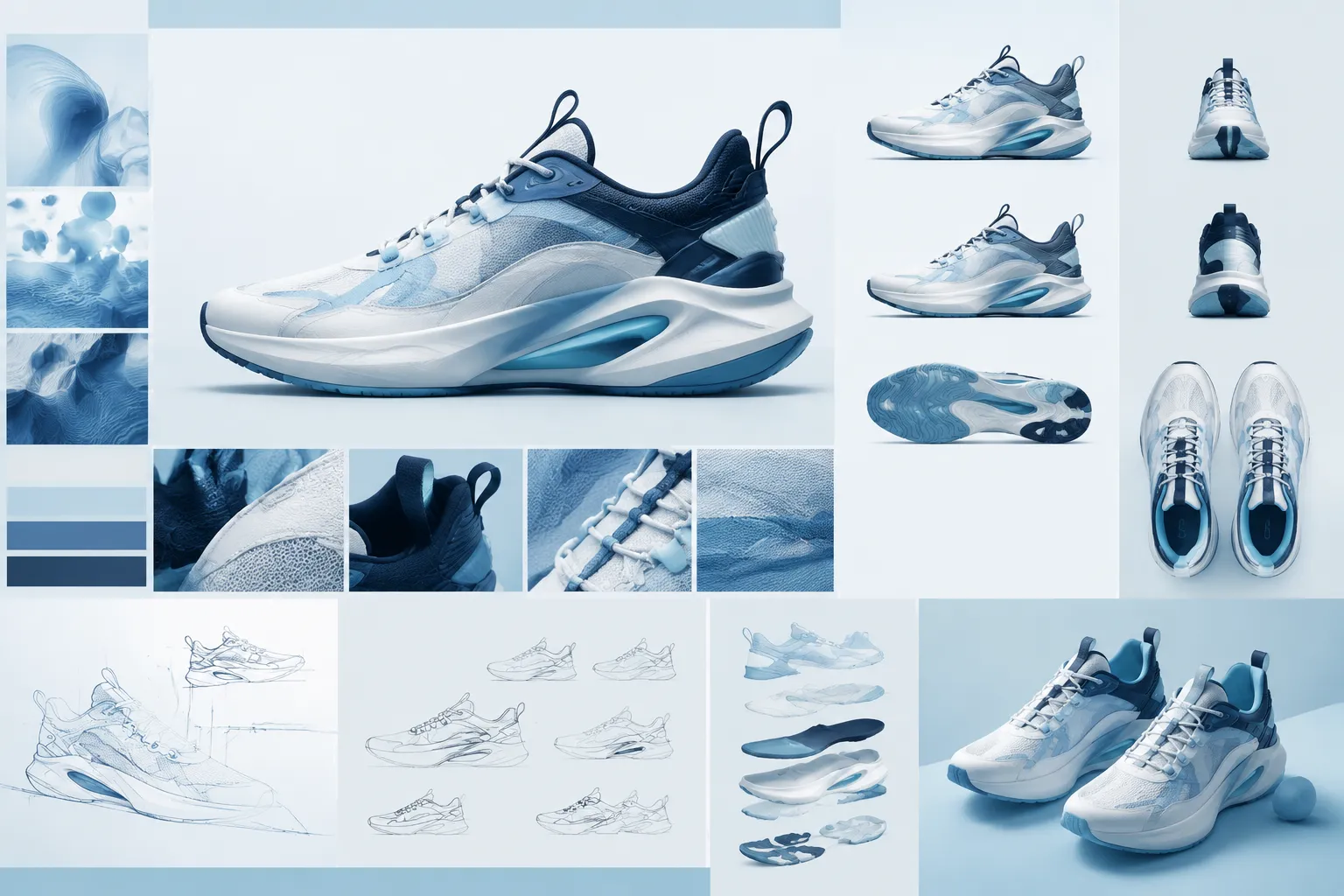
Silhouette read
The side view makes the overall outline visible: toe height, forefoot taper, instep rise, heel position, collar profile, and midsole relationship.
Inspect whether the outer contour is actually different, whether the camera created the apparent change, and whether overlays are making a familiar silhouette appear more aggressive. Check the toe and heel at the chosen crop, then compare the direction across more than one view.
A bold overlay may support an art-direction decision without establishing a change in geometry or physical behavior.
Upper zoning
Upper zoning concerns the visible organization of panels, overlays, openings, seams, and graphic boundaries.
Compare panel scale, boundary position, layer hierarchy, visual weight around the toe, eyestay, quarter, and heel, continuity between lateral and medial views, and the relationship between upper lines and the sole unit.
A revision can clarify one view while creating confusion in another. Record the view coverage before accepting the direction; a single lateral image cannot establish whether the zoning remains coherent around the full concept.
Material cue
A render can suggest material through roughness, highlight behavior, weave, grain, translucency, edge treatment, or contrast with neighboring surfaces.
State the intended cue: matte or reflective response, smooth or textured appearance, soft or structured visual impression, tonal separation between adjacent zones, or contrast between upper and sole.
Keep the cue separate from physical properties. Hand feel, abrasion behavior, breathability, structural response, and durability require appropriate material review or testing.
Color relationship
Color review is relational rather than purely numerical.
Record which relationship changed: main color against the base, accent against the overlay, upper against the sole, logo area against surrounding material, or one collection variant against another.
A colorway may read clearly on a bright campaign background and collapse in a neutral comparison view. Background, lighting, and display condition belong in the revision record when they alter interpretation.
View coverage
Match coverage to the question instead of treating every view as mandatory.
- Strict side view: silhouette and lateral zoning.
- Three-quarter view: depth, layering, and surface response.
- Rear view: heel zoning and collar profile.
- Top view: opening and forefoot proportions.
- Medial view: balance across both sides.
- Detail crop: material or graphic treatment.
A color relationship may need side and three-quarter comparisons. A collar change may need top and rear views as well. The record should explain the coverage chosen and the question it answers.
Preserve Alternatives When Direction Is Unsettled
A revision tree is more useful than a single overwritten file when the team is comparing directions.
Research on nonlinear image revision describes visual histories through branches, merges, comparisons, and conflicts. That work is adjacent rather than footwear-specific, but its underlying review principle transfers well: preserve meaningful alternatives and show how they relate.
Keep separate branches when one version changes the silhouette and another changes only the upper zoning, when two material directions remain under review, or when the same colorway is being tested with different sole treatments. A campaign mockup and a neutral design-review render may also need separate paths because they serve different decisions.
Name the branch by its visible decision, not an opaque file number. “Low-contrast heel overlay” is more useful than “final_v12.” The name should still identify the file as a concept state rather than a settled product specification.
Merges need a record too. If the latest render combines the collar from one direction with the outsole treatment from another, document that relationship. Otherwise, later reviewers may mistake the combined result for one uninterrupted design path.
Keep Platform Features in Their Proper Role
Creative platforms provide useful vocabulary for versions, comments, approvals, and history. Platform documentation can clarify how those features are organized, while design-file version histories offer a familiar model for revisiting earlier states.
Those capabilities describe ways to organize digital work. They do not establish that a platform is preferred for footwear teams, that its workflow is complete, or that an in-platform approval represents physical product approval.
Translate platform language into footwear questions:
- A version identifies the visible change and its comparison context.
- A comment points to a region, view, or decision.
- An approval states its review stage.
- A history preserves the reason for change, not only the file state.
- A handoff names the next owner and unresolved question.
The tool can hold the record. The review room still has to define what that record means.
Record Reference Images and Permission Status
Reference images often influence silhouette, upper zoning, surface mood, color relationships, or campaign direction. Keep a source record separate from the render itself.
For each reference, record the original source or creator, date added, intended use, internal or external visibility, known permission or license status, restrictions or open questions, and whether replacement is needed before publication.
General copyright information supports maintaining source and permission records for creative material. It does not establish that a particular image is permitted for a particular use. Documentation is therefore not the same as confirmed publication permission.
If permission status is unknown, label it as unknown. Do not let an attractive reference silently become a campaign asset or public presentation image. Specific permission questions should move to appropriate legal review.
A render may borrow a color or material direction without copying the reference image into the deliverable. Record that relationship so later reviewers can distinguish inspiration, supplied assets, and original concept work.
Choose the Right Handoff State
A handoff should state what the receiving person is expected to review.

Visual-direction handoff
Use this when silhouette, upper zoning, material mood, colorway, or framing remains under comparison.
Include the current revision, competing direction, visible decision, required views, reviewer comment, decision status, and unresolved visual questions. The receiving reviewer is judging the concept render as an image and design direction.
Design handoff
Use this when a visual direction moves into more detailed design work. Identify the approved concept-stage elements, provisional elements, view coverage, material and color intent, variant relationships, and open construction questions.
The render may communicate construction intent, but it does not settle construction itself.
Engineering or sampling handoff
Use this when the visual concept needs examination alongside physical development.
State which visible features need interpretation, which dimensions or structures the render does not define, which material assumptions need confirmation, and which questions require a sample or appropriate test.
A render may show a padded collar, layered upper, or segmented sole as a visual concept. Fit, comfort, durability, safety, manufacturability, and physical performance remain unresolved until the relevant development stage supplies evidence.
Campaign or marketing handoff
Campaign imagery has different review criteria from design review. Check product visibility, color relationships under the chosen lighting, consistency across views, variant naming, reference-image source records, permission status for supplied assets, and clear concept-stage labeling where the product is not final.
A campaign mockup can communicate a story direction while remaining a non-final representation. Marketing approval should not be read back into engineering or product approval.
A Compact Render Revision Checklist
Use the following as a working review record:
- Revision identity and superseded state
- Concept, colorway, and view identifier
- Output type and review stage
- Visible change and its location
- Reason for the revision
- Silhouette read
- Upper zoning
- Material cue
- Color relationship
- View coverage
- Variant logic
- Reviewer comment
- Decision status
- Owner and next handoff
- Reference-image source record
- Known permission status
- Unresolved render questions
- Physical questions reserved for design, engineering, sampling, manufacturing assessment, or wear testing
The list is useful only when each item points to a real decision. Empty fields should remain open rather than being filled with assumptions.
Common Mix-Ups in Render Review
“Approved” means the product is approved
Approval needs a stage label. A concept render can be accepted for visual direction while fit, construction, sampling, and testing remain unresolved.
The latest file explains the full history
It may not. A recoverable version shows an earlier state, but the revision log explains why the team changed direction and which alternative was rejected, held, or retained.
A realistic surface proves the material
It does not. Surface response supports a visual material cue. Physical properties require appropriate material review and testing.
A reference image in the file is available for publication
Do not assume that. Keep the source and known permission status visible, and route specific permission questions through suitable legal review.
More views always produce a better decision
Not necessarily. Extra views can introduce inconsistent lighting, camera changes, or variant confusion. Choose coverage that answers the current question and record the conditions.
What the Record Can and Cannot Close
A strong handoff closes the visual question at the right level.
It can record that a side-view silhouette direction was accepted for the next concept stage. It can show that an upper boundary was revised, that two colorways remain under comparison, or that a campaign mockup needs clearer material separation.
It cannot establish fit, comfort, durability, safety, biomechanics, manufacturability, physical performance, or final product approval from imagery alone. Those questions belong to the appropriate design, engineering, sampling, manufacturing assessment, and wear-testing stages.
The most useful revision log ends with two lines:
Decided: the visible direction that can move forward.
Unresolved: the question that needs another owner, another view, a physical sample, or an appropriate test.
Approve the image for its stated job, record what changed, and move physical questions to the physical stage.
Sources
- Frame.io Help Center for platform vocabulary around versioned creative files, comments, and review workflows.
- Figma Help Center: Version History for version-history and earlier-state review terminology.
- WIPO Copyright for general source and permission documentation boundaries.
- Nonlinear revision control for images for adjacent context on branches, comparisons, merges, and visual revision relationships.
- A holistic approach to asset quality and efficiency | ACM SIGGRAPH 2018 Talks for adjacent asset-quality and review-process context.
- ONESVIEW: An Integrated System for One-Stop Virtual Design Review for adjacent virtual design-review context.
These sources support workflow vocabulary and evidence boundaries. They do not establish fit, comfort, durability, safety, manufacturability, physical performance, rights permission for a particular asset, or final product approval.